Why CN900 Become White Screen?
As we all know that CN900 is a hot key programmer. Recently, many customers have feedbacked that their CN900 became white screen and they did not know how to solve the problem. Here are the causes of CN900 becoming white screen below:
Cause 1:
When CN900 no need to update, but you press "Update" button.
After you press "Update" button within 10 seconds, you do not reture back to the main mean.
After 10 seconds then the screen became white.
Cause 2:
When CN900 need to update and during waiting for CN900 updating, then you should power off.
After powering off, then again you connect with power, therefore CN900 became white screen.
It ends!
Email: sales12@eforshop.com Website: www.en.too-star.alibaba.com Official Website: www.motorpartstore.com
2016年8月5日星期五
2016年7月22日星期五
How to Distinguish CN900 from ND900 and Hand Baby?
When referring to auto key programmer tool, we all know CN900, ND900 and Hand Baby key programmer. They are popular auto key programmer tool in European market. However, what are differences between them? Now you should know it more clearly. Here is the comparison form of CN900, ND900 and Hand Baby key programmer.
Item No.
|
TSS-0154
|
TSS-0212
|
TSS-0160
|
Item Name
| |||
Update
|
Online
|
Online
|
Online
|
Language
|
English
|
English
|
English, Spanish and Chinese
|
Operate Way
|
Handheld
| ||
Copy 4C Chip
|
Yes, use CN1
|
Yes,use particular designed 4D/4C Chip
| |
Copy 4D Chip
|
Yes, need work with CN900 4D decoder, use CN2
|
Yes, need work with ND900 4D decoder, use CN2
|
Yes,use particular designed 4D/4C Chip
|
Copy 46 Chip
|
Yes,need to work with CN900 46 decoder, use CN3
|
Yes,need to work with ND900 46 decoder, use CN3
|
Yes, use handy baby ID46 chip
|
Toyota G chip
|
Yes,need to work with G box of CN900, use CN5 Toyota G Chip
|
Yes,need to work with G box of ND900, use CN5 Toyota G Chip
|
Yes, need to open G function authorization, use Handy Baby G chip
|
In conclusion, Handy Baby key programmer can repalce CN900/ND900, and those three key programmers have the same function. Which one would you like to choose depends on your hobies.
2016年7月21日星期四
How to Fix CN900 Screen Became Black and White?
New CN900 key copy machine is a new Auto transponder chip key copy machine, using 3.6-inch TFT LCD display, touch screen operation. CN900 key copy machine supports directly copy 4C and 4D chips. It can copy Toyota 4d67. A customer told me that his CN900 screen became black and white and he did not know how to solve the problem.
Here are the screenshots below:
Now please follow me by the below ways to fix it:
1. First you should connect CN900 with computer and power by USB wire.
2. Next you need to go to CN900 official website: www.cn900.net and download : CN900_LOADER V3.10
3. You'd better click
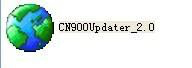
, then it will appear follow picture. You will see in front of "Fast" there marked hook.
4. You should remove the Hook in front of "Fast".
5. After you remove the Hook in front of "Fast", then you need to press "Update" button. After then CN900 will update with computer together.
6. After CN900 finished update with computer, then it will recover as follow:
Remark 1:If updating one time, the CN900 still does not recover,then you should try as above ways again and again till it recovers.
Remark 2: If during updating CN900, it appears a window which need you choose "COM" port. Then you need to choose a correct "COM" port. If you do not know which is correct COM port, then you'd better operate as follow steps:
a. You need to right click my computer and choose property.
b. You'd better choose "Hardware".
c. You should choose device manager.
d. You need to find port(COM and LPT) and click, then will see following ports:
And then you should take CN900 USB wire out from computer,then check the port(COM and LPT) again:
You need to check the difference between connect with CN900 USB wire with computer and take out CN900 USB wire from Computer:
Then you will see when connect with CN900 USB wire with computer then will see the below message:"

".
After you take out CN900 USB wire from computer, then "

" will disappear. So you need to choose "

".
Notice: When choose COM port not must be "
". Different computer have different case. It depends on that when you connect CN900 USB wire with computer and take out USB wire from computer which port (COM) will appear and disappear, therefore that port (COM ) you need to choose.
New CN900 key copy machine is a new Auto transponder chip key copy machine, using 3.6-inch TFT LCD display, touch screen operation. CN900 key copy machine supports directly copy 4C and 4D chips. It can copy Toyota 4d67. A customer told me that his CN900 screen became black and white and he did not know how to solve the problem.
Here are the screenshots below:
Now please follow me by the below ways to fix it:
1. First you should connect CN900 with computer and power by USB wire.
2. Next you need to go to CN900 official website: www.cn900.net and download : CN900_LOADER V3.10
3. You'd better click
, then it will appear follow picture. You will see in front of "Fast" there marked hook.4. You should remove the Hook in front of "Fast".
5. After you remove the Hook in front of "Fast", then you need to press "Update" button. After then CN900 will update with computer together.
6. After CN900 finished update with computer, then it will recover as follow:
Remark 1:If updating one time, the CN900 still does not recover,then you should try as above ways again and again till it recovers.
Remark 2: If during updating CN900, it appears a window which need you choose "COM" port. Then you need to choose a correct "COM" port. If you do not know which is correct COM port, then you'd better operate as follow steps:
a. You need to right click my computer and choose property.
b. You'd better choose "Hardware".
c. You should choose device manager.
d. You need to find port(COM and LPT) and click, then will see following ports:
And then you should take CN900 USB wire out from computer,then check the port(COM and LPT) again:
You need to check the difference between connect with CN900 USB wire with computer and take out CN900 USB wire from Computer:
Then you will see when connect with CN900 USB wire with computer then will see the below message:"
".After you take out CN900 USB wire from computer, then "
" will disappear. So you need to choose "
".Notice: When choose COM port not must be "
". Different computer have different case. It depends on that when you connect CN900 USB wire with computer and take out USB wire from computer which port (COM) will appear and disappear, therefore that port (COM ) you need to choose.
2016年6月6日星期一
The Usage of CN900 key programmer ID46 copy function
CN900 car key programmer is a powerful auto chip key maker. CN900 auto key programmer is able to directly copy 4D and 4C chips and unlock ID48, but you need purchase 46 Decoder and CN3 chips together in order to copy ID46 chip.Here is the instruction step by step below:
1. You should connect your CN900 car key programmer to your computer. Then Wait a moment for the tool to start up.
2. You should run CN900 software, next click "Connect" on the upper left and get your serial number at the bottom left.
3. You should click Update and the software will prompt that the tool is of the newest version.
4. You should click camera icon on the upper right.
5. You should provide your serial number to OBD365 customer service to open ID46 function for you. After the ID46 function is authorized, click update and let the tool to upgrade.
Note: The upgrade procedure would take several minutes, please make sure your computer has enough power to get it done.
CN900 car key programmer is a powerful auto chip key maker. CN900 auto key programmer is able to directly copy 4D and 4C chips and unlock ID48, but you need purchase 46 Decoder and CN3 chips together in order to copy ID46 chip.Here is the instruction step by step below:
1. You should connect your CN900 car key programmer to your computer. Then Wait a moment for the tool to start up.
2. You should run CN900 software, next click "Connect" on the upper left and get your serial number at the bottom left.
3. You should click Update and the software will prompt that the tool is of the newest version.
4. You should click camera icon on the upper right.
5. You should provide your serial number to OBD365 customer service to open ID46 function for you. After the ID46 function is authorized, click update and let the tool to upgrade.
Note: The upgrade procedure would take several minutes, please make sure your computer has enough power to get it done.
订阅:
博文 (Atom)


